Look3 this Week

I have the honor of making a few presentations for Adobe this week at the Look3 Fesitval in Charlottesville. If you haven’t been, it’s a really great few days of peace, love and photography, in the center of beautiful downtown Charlottesville.

The program started as a back yard slideshow at National Geographic photographer Nick Nichols’ house a couple decades ago.  (I was fortunate enough to attend one of these, and it was a blast.) It has turned into a premier city-wide event, with exhibitions, presentations, and a really amazing group of slideshows projected at the Pavilion. If you haven’t been, I strongly suggest it.

I’ll be presenting some Lightroom and Photoshop Kung-fu on Thursday, Friday and Saturday, which are free to anyone with a Festival Pass, Student Pass, or Big Love Pass. Here’s the description page.


DAM/Lightroom programs in Boston and South Carolina

I’ll be presenting several programs this week and next. Boston the 24th and 25th, and South Carolina June 2nd and 3rd.

On Wednesday the 24th, I’ll be going a general DAM program, lecture style. This is the lecture I developed for dpBestflow, and it outlines workflow theory, storage concepts, and where to find lots of free information on these subjects. The program runs from 6-9pm, whith possible extra credit time allowed tfor people who know the magic words, “Can I buy you a beer?” Program is $10

On Thursday, we have an all-day Lightroom workshop limited to no more than 20 people. Lots of basic, intermediate and even advanced Lightroom material covered here. $149.
Signups for both here.

_________________________

Next week, I’ll be doing a pair of programs sponsored by ASMP South Carolina.

The  first is a four-hour lecture-style program, outlining a complete Lightroom workflow from card to archive. This is a start-to-finish workflow demonstration.

The following day, we have a much smaller program, limited to 12 people, presenting Lightroom in a workshop setting.

Signups and pricing here.

Nice numbers

I’ve been testing Media Pro as I record some instructional movies for Phase One. Last night, I combined several of my yearly catalogs into a single larger one. I was able to combine the year 2002-2005 into one catalog that holds 124,000 items and is 3GB. so far, everything is working fine.

This is a significant improvement over the Microsoft Expression Media and iView versions which topped out at about 60,000 items and had a hard limit of 1.8 GB. If this is an indication of how Phase One plans to improve the software in the future, it bodes well for this new version.

Phase One Media Pro can hold a lot more photos than Expression Media could.

Majority World

When we met in Mozambique to hammer out the structure of the Shutha project, one of the first tasks was to define the mission. Here’s what we came up with:

Free training for professional photographers and multimedia storytellers in the Majority World.

It was my first encounter with the term Majority World.  Although I had not heard it before, I instantly knew what it meant,  and could see a whole host of implications that the term carried. I bet I don’t even need to define it for you (but you can click here if you want to see a definition.)

Good language is like that – it helps you understand concepts, and puts things in perspective.  In many ways, the terminology sets the tone of the debate (Freeedom fighter v. Insurgent, Death Taxes v. Estate Taxes.) The majority of the world is not white, nor rich, nor American. And as a white “rich” American, it’s useful to see yourself in a world context.

Since I returned in February, any time I hear the term “minority” as applied to a person of color, I feel a real sense of irony. As the world gets smaller and flatter, it’s even more important that we gain perspective about where we fit in a global context.

Phase One Releases Media Pro

Phase One released Media Pro yesterday, the newest version of Expression Media and iView Media Pro. The new software offers some important improvements, particularly for photographers who use Capture One software to optimize their image files.

Media Pro can now “see” the adjustments made to images in Capture One, so that images can look identical in each application. Not only does this let you see what the image looks like, but it lets Media Pro build web galleries, slideshows and output files that will show the corrections.

In addition, Capture One 6.2 and Media Pro can trade metadata back and forth, so that metadata created in one application can be seen and passed on by the other application. Here’s a video that shows the integration.

There’s also something here for users of Expression Media and iView who don’t use Capture One. The 1.8 GB catalog limit has now been lifted. (Applause) This has been a long-standing user request, and will help users unify their collection into a smaller number of catalogs.  I have done some testing with this, adding large previews to a catalog of 30,000 images. The resulting 5 GB catalog seems to function fine.  I’ll be doing more testing in the near future, and I’m particularly interested in how catalogs that approach the 128,000 item limit perform.

And the software has gotten a facelift, bringing it in line with the user interface of Capture One.

Current Expression Media owners can upgrade for $59, and iView owners can upgrade for $69.

Shutha Movie – A Brief History of Communication

I’ve been looking at my colleague D.J. Clark’s videos on the Shutha site and there’s some really interesting stuff. This one outlines the history of communication, starting with verbal exchange, through newspapers, radio, TV, internet, social communication and onward. I think it’s a fascinating presentation.

Many of the topics DJ covers here were important topics in ASMP’s SB3 presentations, particularly Tom Kennedy’s keynote presentation on changing media. There’s a whole lot more where that came from. Here’s a link to the Lesson Plan for multimedia production.

DJ Clark puts modern media in perspective in this short film.

Shutha.org is live

For the last couple of months, I’ve been working on a project to help African photographers put their photos and multimedia into the world marketplace. Shutha.org is a free online learning resource, geared to professionals and aspiring professionals in the Majority World.  It was funded by World Press Photo and the Dutch Postcode lottery.  The project was run by Dave and Rosanne Larsen at Africa Media Online.

There is a comprehensive set of learning resources here, including help for business basics, marketing, business practices, as well as technical information.  Dave, Rosane and Dominique LeRoux were in charge of the business, sales and marketing materials. D.J. Clark produced a great section on multimedia production, Graeme Cookson provides background on imaging technology, and I wrote about Lightroom and how to create a safe and cost-effective digital photo computer system.

The entire project will look familiar to those of you who have seen dpBestflow, since it is powered by the same Drupal software that used over there.  It’s hard for me to see how we could have created this project without the generous support of ASMP. They contributed the use of their Drupal customizations, and paid for the work by Context Solutions, the excellent development team that worked on the ASMP.org site as well as dpBestflow.org.

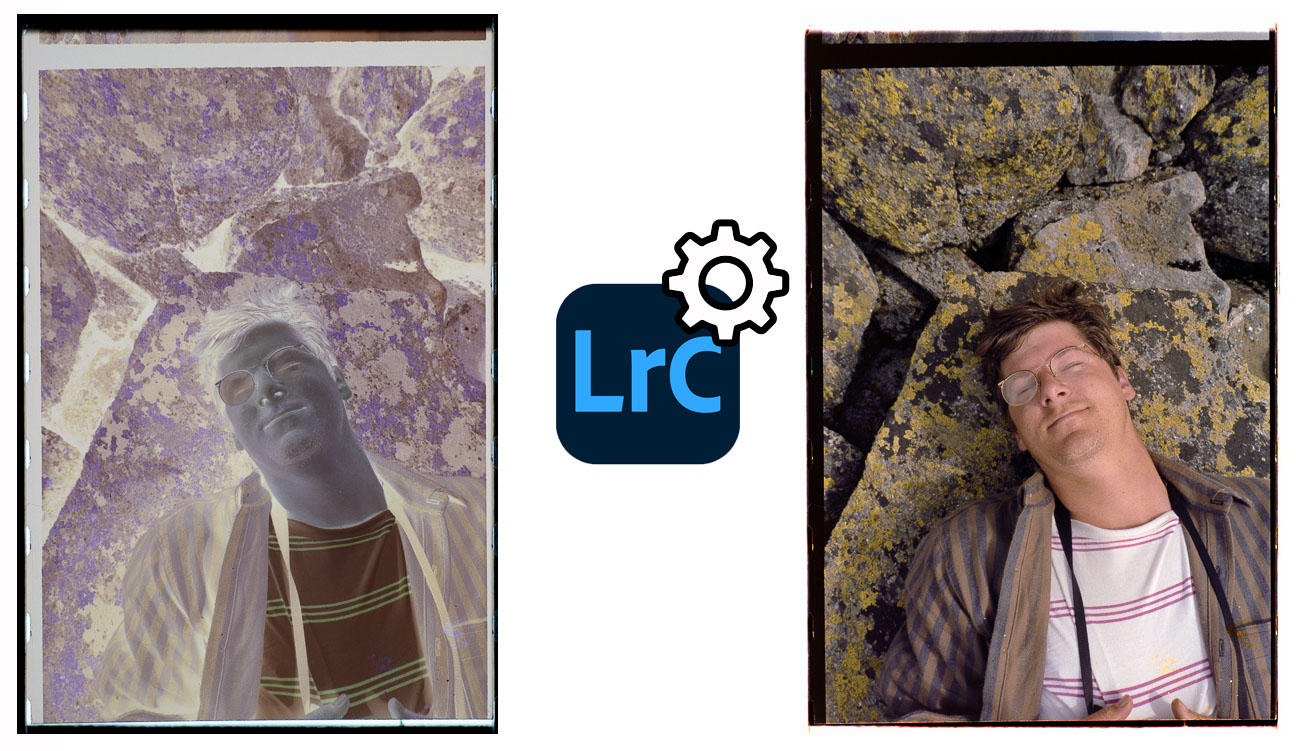
Here’s the first movie in the Lightroom lesson plan: it outlines some of the creative possibilities offered by Lightroom in image adjustment.  I’ll provide more background about the project, the material and the team in future posts.


This movie shows “before and after” examples of photographs adjusted in Lightroom. It is part of the extensive and free training resources on Shutha.org

Optimizing Photoshop performance

My friend Philip Andrews of the excellent Better Photoshop Techniques magazine has just authored a white paper on optimizing Photoshop speed and performance. If you are putting new system together (or thinking about upgrading a current system with new RAM or hard drive), this paper can help you understand what will be most helpful.

Even if you aren’t looking for new hardware, Philip outlines preferences and other settings that can improve performance for the way you use the program.

But, wait, there’s more. Philip and his colleagues at DI magazine have also released one of the coolest iPad magazine applications I’ve seen. The app integrates the ability to control Photoshop with the magazine articles, so you can have an article literally lead you through the steps in Photoshop as it describes the workflow. This is built on the Configurator capabilities that John Nack dreamed up when he was the Photoshop product manager.  Thanks to both of you for pushing the envelope.

On preparation and a good team

I got back from the Palm Springs Photo Festival over the weekend, and like my previous visits, it was a wonderful experience. We had an interesting thing happen while I was there that illustrated the value of having good backups, and of having a great team in place.

Just before my second presentation, the power to an entire city block in the center of Palm Springs went out. I was scheduled to present in only a few minutes at the Hyatt. The hotel had emercency power to keep the exit lights and elevators running, but that’s it. I expected that my presentation would have to be canceled.

But the people who run the Festival are a group of really experienced photographers, assistants and producers, Within a few minutes of the blackout, they had a generator on site, and had strung a cord into the conference room in the hotel.  Without hesitation, they knew exactly what to do to keep running, and they did it.

The hotel managed to find some Coleman lamps, and voila, the show took place without a hitch. (Well, it was a little hotter and stuffier than normal, but you get the picture.)

Kudos to Jeff Dunas and his team for throwing one of the best photo events all year, and for dealing with unexpected glitches without missing a beat.

Presentation by camping lantern, Palm Springs Photo Festival.

Palm Springs Photo Festival March 27 – April 1

Once again, I’l be headed to Palm Springs for one of my favorite yearly photographic events, the Palm Springs Photo Festival.
I’ll be teaching 3 classes – a Lightroom workflow class Tuesday and Friday, as well as general DAM program Thursday. Schedule here. (Thanks to ASMP for sponsoring the dpBestflow/DAM program).

I love this workshop for a number of reasons. It’s a beautiful place of course, and the end of March can be a nice time to get out of the east coast and into warmer weather. It’s a laid-back event that seems to cover the entire downtown. There are a surprising number of industry luminaries who attend each year, so it’s a great place to network.

Mostly, I think, I love it because it’s really about photography, and not just the techno-weenerie that I spend so much time immersed in. There is a ton of inspiring work to see, and great presentations from many different corners of the medium.

I have a little more spare time than usual at the festival this year, since I’m scheduled from Tuesday to Friday. I’ll be available for consultations, if anyone is interested.

On Friday April 1, I’ll head out to Chicago for the last presentation of Strictly Business 3, ASMP’s excellent weekend-long business and technology mind-fest. If you are on the fence, I strongly suggest making time for this event. This is particularly valuable for photographers who are facing a changing business model, changing marketing landscape, and who are considering the need to add video and multi-media to their services mix. (In other words, pretty much all photographers).